Italiano

Contact us
+39 02 87166000 ProAV Solutions
add remove
ProAV Solutions
add remove  Signal Management
add remove
Signal Management
add remove  Mounting Solutions
add remove
Mounting Solutions
add remove  Collaboration & Education
add remove
Collaboration & Education
add remove  Live Events
add remove
Live Events
add remove  Control Rooms
add remove
ProAV Solutions
add remove
Signal Management
add remove
Mounting Solutions
add remove
Collaboration & Education
add remove
Live Events
add remove
Control Rooms
add remove
Control Rooms
add remove
ProAV Solutions
add remove
Signal Management
add remove
Mounting Solutions
add remove
Collaboration & Education
add remove
Live Events
add remove
Control Rooms
add remove 
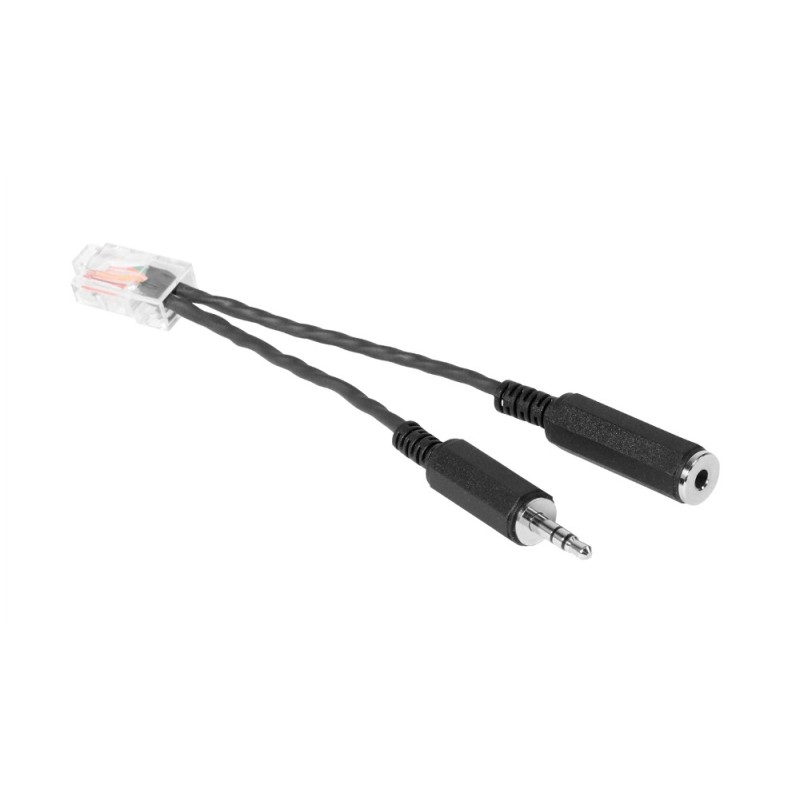
Vaddio EasyMIC HuddleSHOT adapter
If you want to add reliable audio to your conference room monitor, the HuddleSHOT all-in-one camera is the solution. Simply connect the RJ-45 end of this adapter to the EasyMIC port on the back of the HuddleSHOT camera and connect a stereo audio cable with a 3.5mm minijack connector on the other end from the audio output of the conference room display. This will allow you to use HuddleSHOT's built-in speakers with your display, even when not in a USB video conference.
Note: Using this adapter does not allow you to connect the EasyMIC microphone (TableMIC or CeilingMIC) to HuddleSHOT. However, you can still use the two internal microphones located near the camera lens.
This package includes:
• HMdleSHOT EasyMIC 14.8 cm adapter cable.

Specific References